Using MaxAI to Complete Account Details
Need some assistance with completing account details? Agentforce, Salesforce's AI tool is on hand (via the Altify MaxAI extension package) to unearth useful answers and save them to your account plan if required.
Note: This option is only available if Altify's MaxAI extension package is installed in your org. Speak to your admin for further information.
There are two ways in which AI guidance can be accessed - depending on how your admin has configured your org:
-
Via a button in the Altify interface which is displayed for particular questions. Clicking the button generates a suggested answer (which can be edited as required) for the relevant question. This button is not necessarily displayed for every question, just the ones that your admin has deemed suitable for AI guidance. For more information, see Accessing AI guidance via the Altify interface.
-
Via the Agentforce chat panel. This involves specifying the account and questions you need assistance with. Suggested answers can be saved to your plan and then edited as required. For more information, see Accessing AI guidance via Agentforce chat
Accessing AI guidance via the Altify interface
-
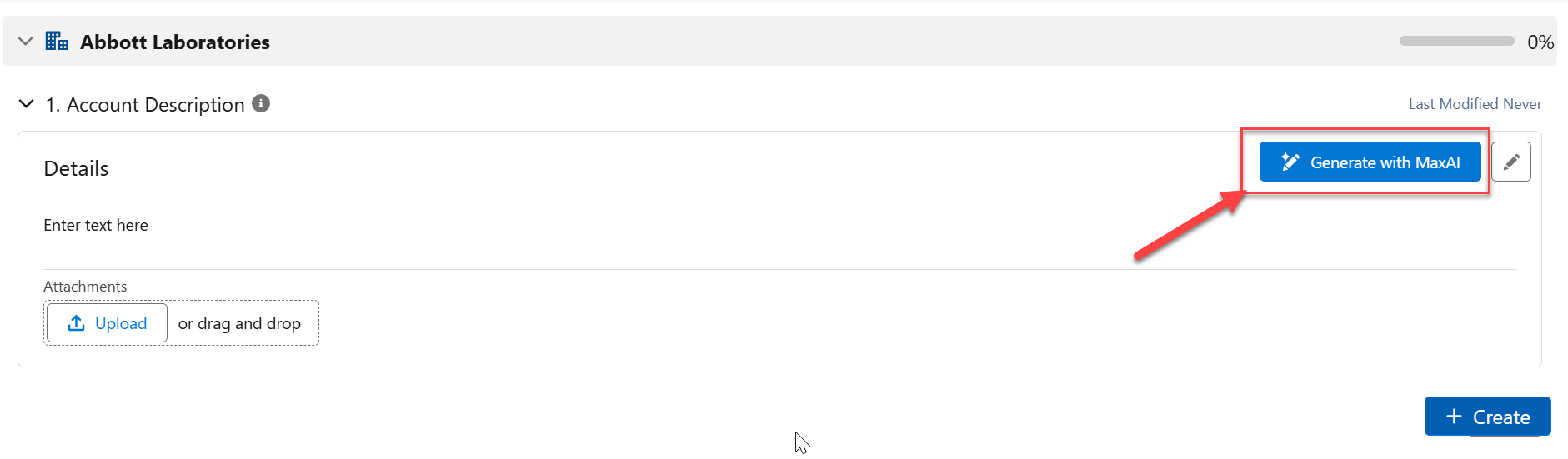
With the relevant question expanded, click the button Generate with MaxAI (as indicated below).
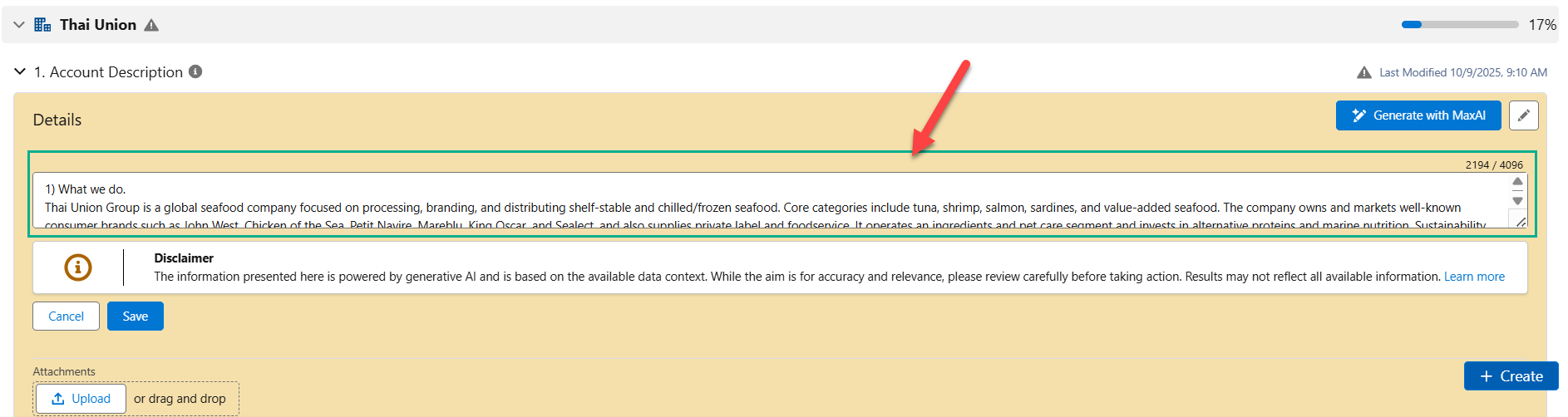
Following a few seconds of calculation, MaxAI suggests an answer as shown in the example below.
-
You have three options to proceed with:
-
Click Save to save the answer as suggested by MaxAI.
-
Edit the answer as required and then click Save.
-
Click Cancel to reject the answer suggested by MaxAI.
-
Note: The Generate with MaxAI button is only displayed for those questions where an AI prompt has been curated by your admin.
Accessing AI guidance via Agentforce chat
-
Click the Agentforce icon
 to access the tool.
 -
In the MaxAI panel that opens, enter and send a request (
 ) such as the following, specifying the account and the questions that you require help with:
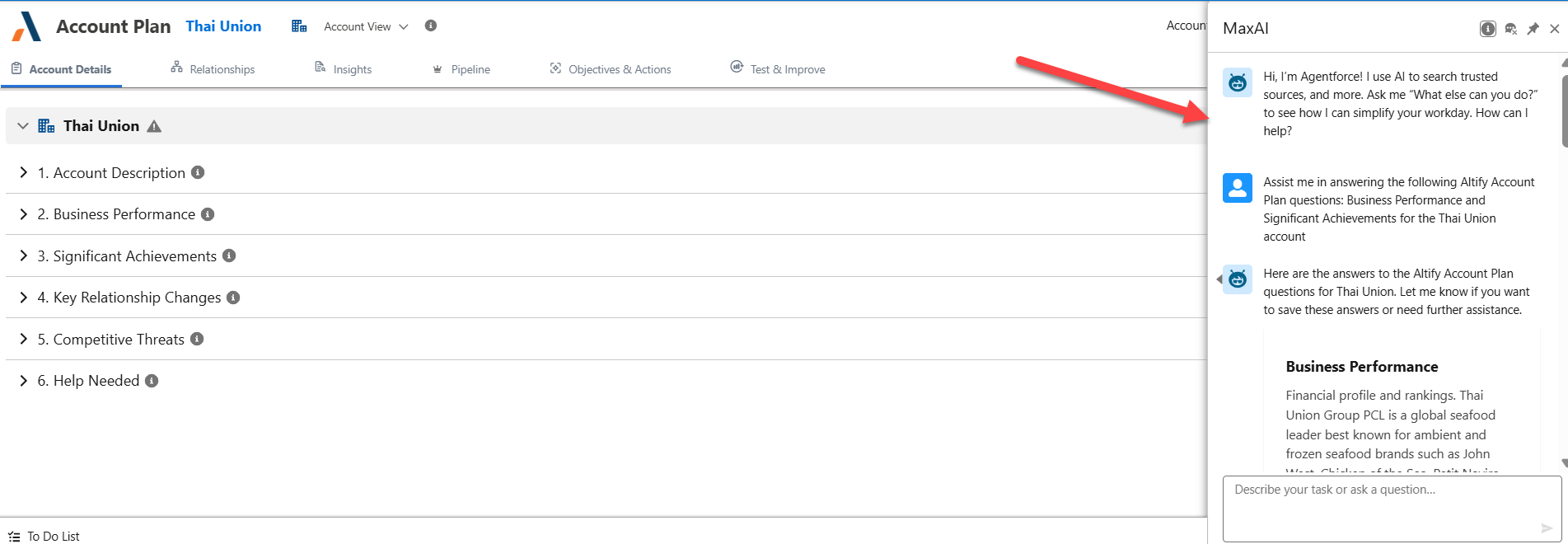
'Assist me in answering the following Altify Account Plan questions: Account description, Significant Achievements and Business Description for the [account name] account'
Below is an example of Agentforce responding to a request.
-
To save the answers to your account plan, simply send (
) the response 'Yes' to Agentforce's query 'Would you like to save these answers to the Altify Account Plan?'If Agentforce does not prompt you to save the answers, send a request (
) such as 'Add these answers to the account plan'.Refresh your screen to view the data added to your account details.
Note: The above is based on the default behavior of the MaxAI package. However this behavior can be customized by your administrator.